90 Free Avatars
One-Click Copy or Download
Neutral or Transparent Backgrounds
Multiple Sizes & Formats

Free Realistic Avatars & Profile Pictures

Realistic user avatars and profile pictures for websites, apps, and UI mockups. Choose from natural-looking AI-generated faces, copy images in one click, or download them in your preferred size and format.

ⓘ All avatars are AI-generated and are not intended to represent real people. Please review our Terms of Service for usage conditions and restrictions.

Where to Use Realistic User Avatars

User Profile Avatars

Make profile pages feel more complete with realistic user avatars. Use them for sample accounts, author profiles, and other layouts while the real content is still on its way.

Website & App Mockups

Add natural-looking profile photos to website and app mockups. They make it easier to check spacing, image crops, and how your design feels with real-looking faces in place.

UI Cards & Dashboards

Give dashboards, contact lists, and user cards a more realistic look. These profile pictures help you test busy interfaces without using personal photos or empty circles.

Figma Design Projects

Drop ready-made avatar photos into your Figma layouts without leaving your workflow. They work for prototypes, reusable components, and those last-minute client previews.

Team & About Pages

Create sample team sections with AI-generated faces that look natural, not overly polished. Useful for testing staff cards and About pages before approved photos are ready.

Comments & Community Feeds

Use realistic avatars in sample comments, discussions, and community feeds. See how names, text, and profile images fit together before adding the final content.

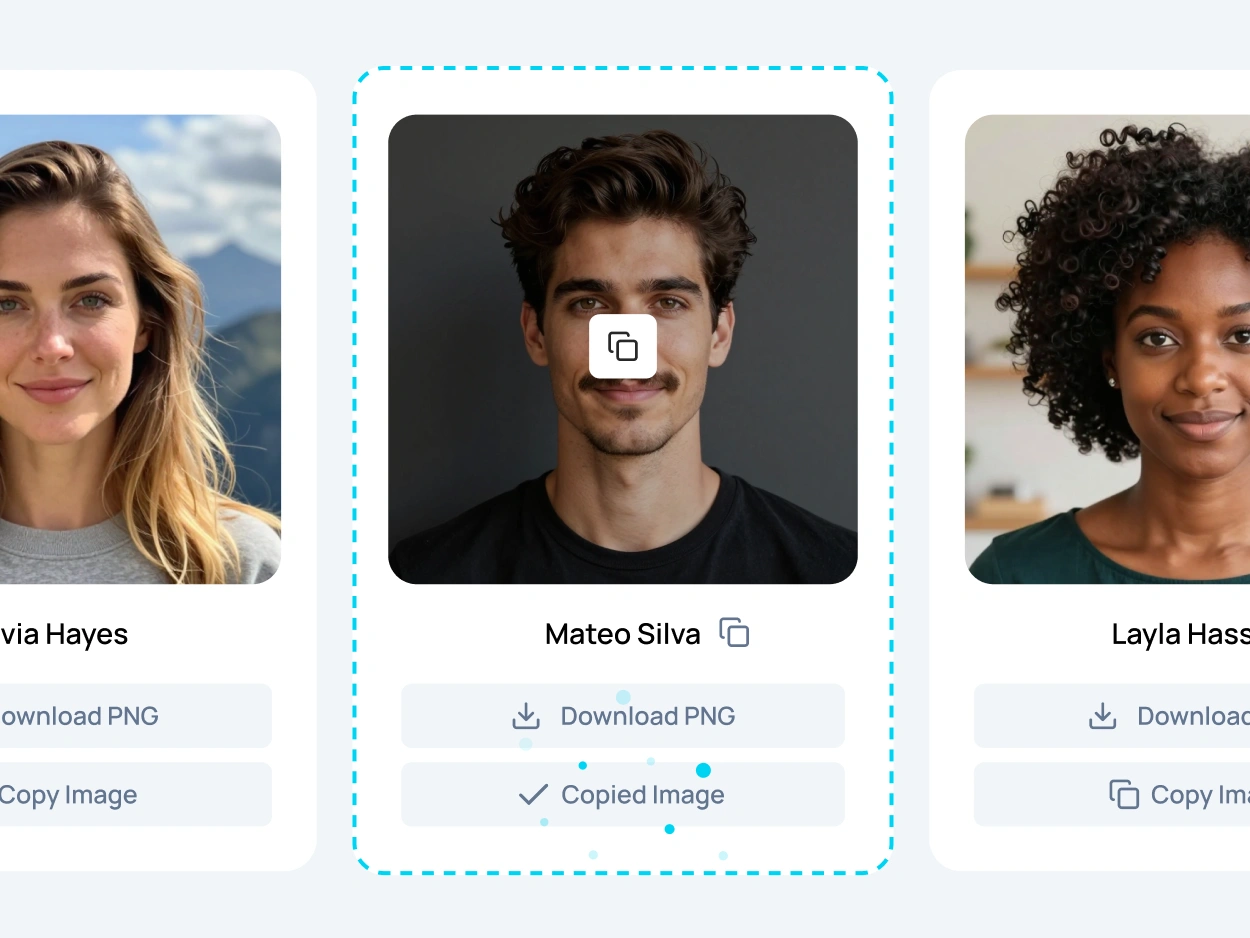
LoremKit gallery of free realistic user avatars and profile pictures, showing AI-generated avatar photos, fictional names, background filters, and one-click copy or download options.

Copy or Download,
and Get Back to Designing

Found a realistic avatar that fits your project? Copy the image straight into Figma or another design tool, or download it in PNG, JPEG, SVG, or WebP. Choose a neutral or transparent background and pick the size that works best for your layout.

Each avatar also comes with a fictional name you can copy in one click. It’s a handy little extra for filling user profiles, team cards, and UI mockups without coming up with names yourself.

AI-Generated Faces
That Look Natural

Not everyone looks like a stock photo model, and that’s a good thing. Our AI-generated faces have everyday details, from natural skin textures and different facial features to wrinkles, freckles, and imperfect smiles. The goal is simple: realistic user avatars that look like people you might actually meet.

There’s plenty of variety beyond the faces, too. Some portraits have a professional office look, while others feel more relaxed and casual. You’ll find different outfits, neutral backgrounds, and softly blurred indoor or outdoor settings. This makes it easier to choose profile pictures that match the mood of your website, app, or design project.

These avatar photos are created with AI, not photographed from real models. Each portrait represents a fictional person, so you can build realistic-looking layouts without using someone’s personal photos. Whether you need a friendly face for a community app or a professional headshot for a business mockup, the collection gives you plenty of options.

FAQ

A user avatar is a small image that represents a person or account on a website, app, or online community. It can be a photo, an illustration, or a simple placeholder.

Yes! You can copy and download our avatar images for free. They’re made for design and creative projects, but some uses are restricted. Check our Terms of Service for the details.

Nope! These realistic avatars are AI-generated, a type of synthetic media. They look like ordinary people, but weren’t created by photographing real individuals. Accidental similarities are still possible.

Yes! You can copy the image and its fictional name separately with one click. Paste them into Figma or another compatible app to create sample user profiles without typing everything yourself.

PNG works well for transparent backgrounds, JPEG is great for regular photos, and WebP helps keep file sizes small. SVG is also available. For most profile pictures, 128 or 256 pixels is a good starting point.

Use our Realistic Text Generator to create sample content for profile cards and UI mockups. No need to write a life story for every fictional user.

Not at all! All realistic avatars are ready to use. Just pick a face you like, copy it, or download it. No prompts, accounts, or waiting for an image to generate.

Yes! Our user avatars are square and centered, so they work well with circular profile images. Use them in account menus, user cards, comment sections, and other UI elements.

Yes. Select the Transparent background option before downloading. PNG is a good choice when you need an avatar without its original background.

Absolutely! The collection includes realistic avatar photos with business outfits, casual clothing, and different neutral backgrounds. You can pick a polished office look or something more relaxed, depending on your design.

More Tools for Better Mockups

Your avatars are ready. Now give them something to say! Add sample text, fix text formatting, and make your designs feel a little more complete.

Realistic Text Generator

Create natural-sounding sample text for profiles, UI cards, and other places where classic Lorem Ipsum feels a little out of place.

Ready Text Cards

Grab ready-made headlines, paragraphs, lists, and FAQs for your layouts. Just pick what you need, copy it, and keep designing.

Case Converter

Quickly change text to uppercase, lowercase, title case, and more. Perfect for fixing headings, labels, and other text in your designs.