
Instant Case Change
12+ Case Options
Copy in One Click

Case Converter Online

Convert your text into the right case instantly. Paste any text and switch between uppercase, lowercase, sentence case, title case, camelCase, PascalCase, snake_case, kebab-case and more with one click.

Convert to

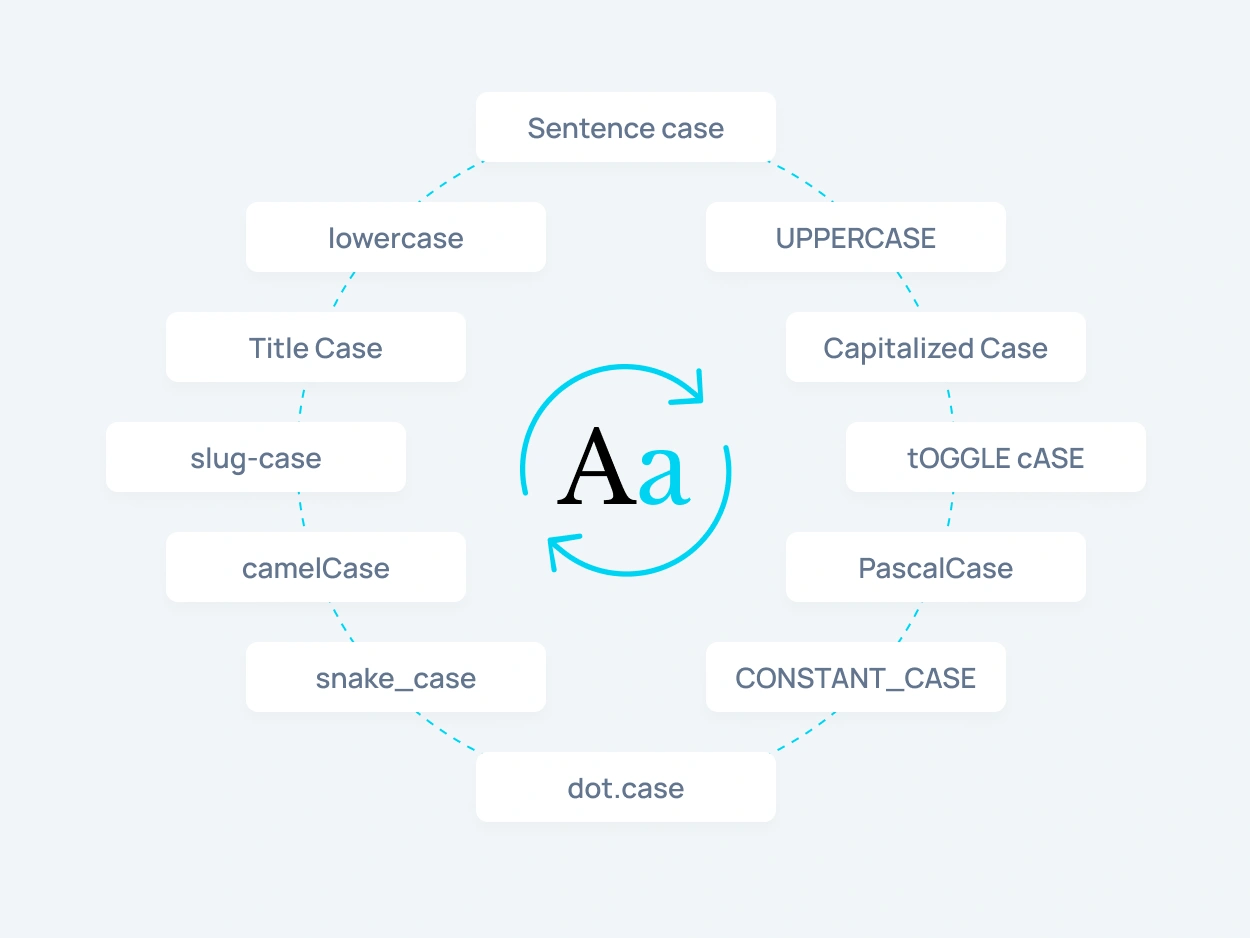
Case converter showing sentence case, lowercase, UPPERCASE, Title Case, Capitalized Case, slug-case, tOGGLE cASE, camelCase, PascalCase, snake_case, CONSTANT_CASE and dot.case

What Is a Case Converter?

A case converter is an online tool that helps you change text case instantly without editing each word manually. You can convert case for headings, paragraphs, titles, code snippets, URLs, labels, and short messages in seconds.

Instead of retyping text, paste it into the case converter online, choose the format you need, and copy the result. It is useful for writers, students, developers, marketers, designers, and anyone who works with text.
Popular Text Case Formats

lowercase

Use lowercase to convert text into small letters. This is useful when you need to clean up copied text, normalize formatting, or change capital letters to lowercase.

UPPERCASE

Use UPPERCASE when you need strong, bold text for headings, labels, buttons, warnings, system alerts, short messages, or interface elements.

Sentence case

Sentence case makes text easier to read by capitalizing the first letter while keeping the rest of the text in a natural format. It is useful for paragraphs, descriptions, emails, and regular content blocks.

Title Case

Capitalize Words changes the first letter of each word to uppercase. This format is useful for names, labels, short headings, categories, and simple title-style formatting.

Capitalize Words

Capitalize Words changes the first letter of each word to uppercase. This format is useful for names, labels, short headings, categories, and simple title-style formatting.

slug-case

slug-case converts text into a clean URL-friendly format with lowercase words separated by hyphens. It is useful for slugs, URLs, filenames, and SEO-friendly page paths.

tOGGLE cASE

Toggle case switches uppercase letters to lowercase and lowercase letters to uppercase. It is useful for playful text effects, creative formatting, or quickly reversing letter case.

camelCase

camelCase removes spaces and joins words while keeping the first word lowercase and capitalizing the next words. It is commonly used in JavaScript, variables, functions, and code.

PascalCase

PascalCase capitalizes every word and removes spaces between them. It is commonly used for class names, components, types, and structured naming in development.

snake_case

snake_case converts text into lowercase words separated by underscores. It is useful for database fields, filenames, variables, API keys, and technical naming.

CONSTANT_CASE

CONSTANT_CASE converts text into uppercase words separated by underscores. It is often used for constants, configuration values, environment variables, and fixed code values.

dot.case

dot.case separates words with dots. It can be useful for structured names, namespaces, technical labels, file-style naming, or custom formatting patterns.

Why use a text case converter to change text case quickly

Why Use an Online Case Converter?

An online case converter saves time when you need to fix, clean, or reformat text quickly. It helps you avoid manual editing, spelling mistakes, and inconsistent capitalization.

Use this text case converter to change case for copied text, rewrite ALL CAPS, format titles, prepare developer-friendly strings, or clean up content before publishing. The tool works directly in your browser and lets you copy the converted result instantly.

Case Converter Tools for Writing,
Design & Code

Writing and Editing

Change text case for articles, emails, documents, titles, captions, and content drafts. It helps keep your writing clean, readable, and consistent.

UI and Design

Convert text for buttons, labels, cards, navigation items, forms, and interface elements. This is useful when testing different text styles inside UI mockups.

Development and URLs

Create developer-friendly formats like camelCase, PascalCase, snake_case, kebab-case, and slug case. These formats are useful for variables, filenames, CSS classes, URLs, and structured data.

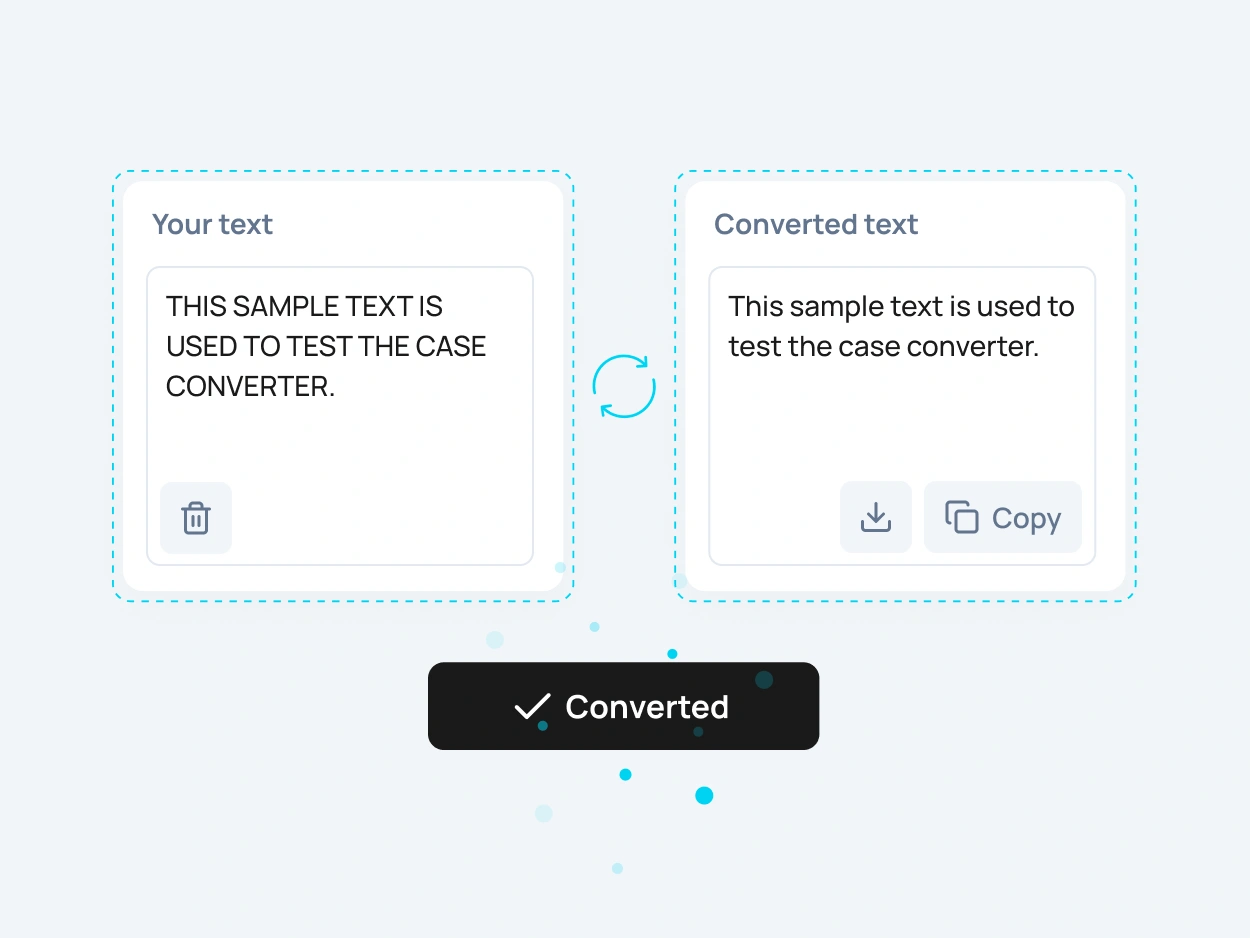
Change case online example showing uppercase text converted to sentence case

How to Change Text Case Online

To change text case online, paste your text into the input field, choose the case format you need, and copy the converted result. You can switch between different formats instantly without refreshing the page.

This makes it easy to convert case for long paragraphs, short headings, code-friendly names, or messy copied text. Whether you need uppercase, lowercase, sentence case, title case, or developer case formats, the tool gives you a fast result in one click.

FAQ

A case converter is an online tool that changes text from one letter case format to another, such as uppercase, lowercase, sentence case, title case, camelCase, snake_case, and more.

A text case converter is used to format text quickly for writing, editing, design, coding, filenames, URLs, headings, and content publishing.

Paste your text into the tool, select the case format you want, and copy the converted result. You can change case instantly without manually editing each word.

Yes. You can convert text to uppercase instantly for headings, labels, buttons, short messages, and highlighted content.

Yes. You can change text to lowercase to clean up copied text, fix ALL CAPS, or normalize text formatting.

Yes. You can convert text to title case for headings, blog titles, article names, page titles, and social media captions.

Yes. Sentence case helps make text more readable by capitalizing the first letter of a sentence while keeping the rest of the text natural.

Yes. You can convert text into developer-friendly formats like camelCase, PascalCase, snake_case, kebab-case, and slug case.

Yes. This case converter online is free to use and works directly in your browser without registration.

Yes. After you convert case, you can copy the result instantly and use it in your document, website, design file, code editor, or CMS.