
Toggle caps
Inverse case
Copy or download result

Toggle Case Converter Online

Switch letters to tOGGLE cASE instantly. Paste text, phrases, captions, names, messages, or copied content and create playful toggle caps formatting in one click.

Convert to

Toggle case converter example showing tOGGLE cASE text formatting

What Is Toggle Case?

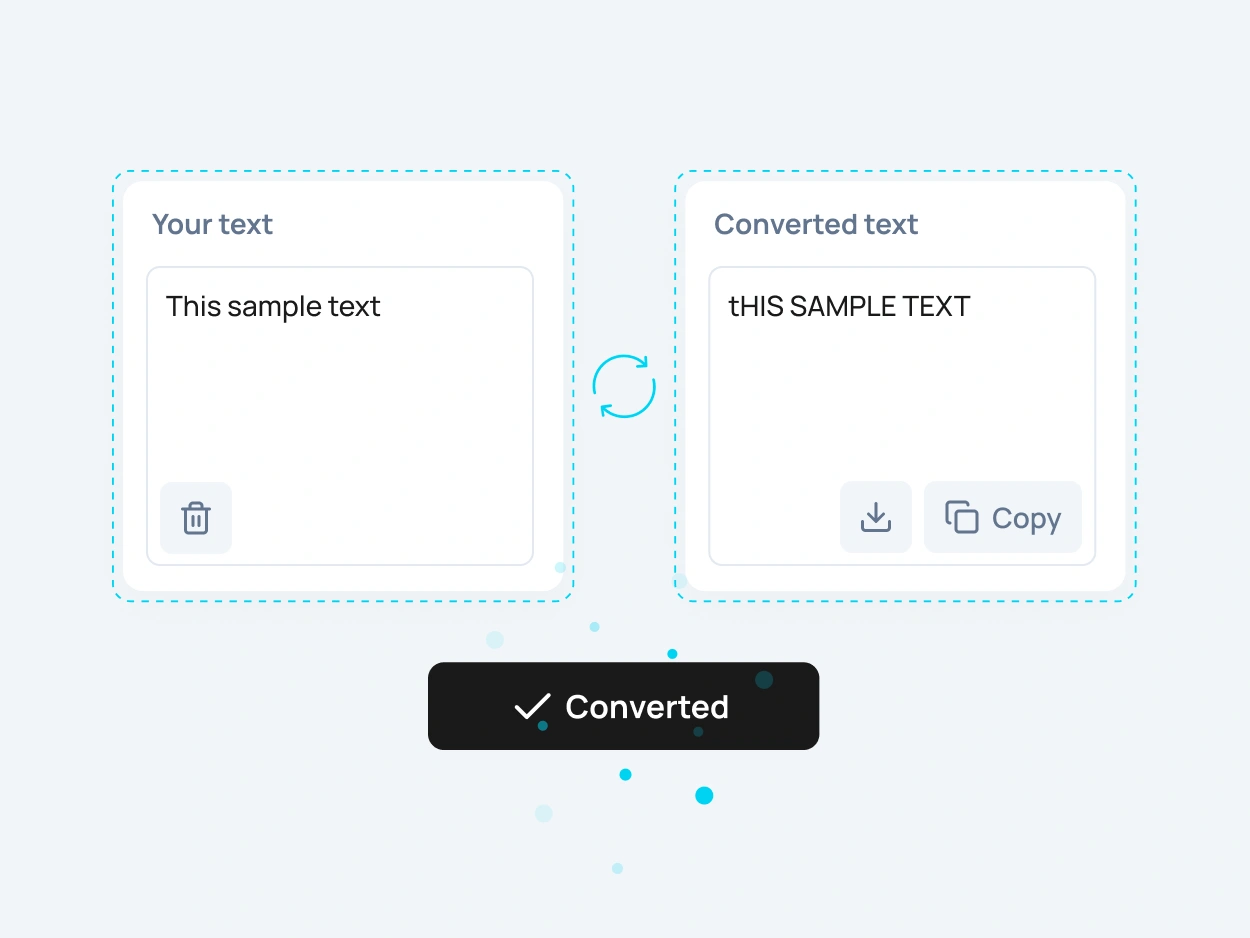
Toggle case is a text format that switches letter capitalization to the opposite style. Uppercase letters become lowercase, and lowercase letters become uppercase. For example, “This Sample Text” can become “tHIS sAMPLE tEXT”.

A toggle case converter helps you create this effect instantly without changing every letter manually. It is useful when you want reversed capitalization, playful text, stylized captions, creative messages, or a quick way to flip the case of copied content.
When Should You Use Toggle Caps?

Toggle caps are useful when you want text to look unusual, playful, ironic, or intentionally distorted. This style is often used for memes, comments, social posts, creative captions, usernames, display names, jokes, and informal text effects.

You can also use toggle caps when testing how text behaves in different case formats. It is not usually meant for formal writing, but it can be helpful for creative formatting, visual contrast, and quick case transformation.

Toggle Caps for Creative Text Effects

Social Media Captions

Use toggle caps for playful captions, comments, jokes, reactions, usernames, short posts, and informal text effects. It can make simple text look more expressive or intentionally exaggerated.

Memes and Funny Messages

Toggle caps are often used in meme-style writing, sarcastic messages, funny replies, and casual online conversations where unusual capitalization is part of the tone.

Display Names and Usernames

Create stylized names, profile text, gaming names, short labels, and creative usernames with reversed or mixed capitalization.

Text Testing and Formatting

Use toggle case to test how text looks when uppercase and lowercase letters are reversed. This can be useful when checking visual balance, font behavior, or different text case options.

Toggle Case Converter and Toggle Caps Tool

Use this toggle case converter to switch uppercase and lowercase letters instantly. It works with single words, short phrases, full sentences, social captions, usernames, headings, and larger blocks of copied text.

This toggle caps tool is especially useful when you need to create tOGGLE cASE, reverse capitalization, or generate a playful mixed-case result. Instead of editing letters one by one, you can paste your text and copy the converted result immediately.

Toggle case converter showing text changed to tOGGLE cASE with toggle caps

How to Convert Text
to Toggle Case Online

To convert text to toggle case online, paste your text into the input field, choose the toggle case option, and copy the converted result. The tool switches letter capitalization instantly, so you do not need to edit each character by hand.

This is useful when you want to create toggle caps, reverse case, inverse case, playful text, mixed capitalization, meme-style writing, or creative formatting for social posts, messages, usernames, and captions.

More Case Converter Tools

Need another text format? Explore related case converter tools and choose the best option for your content.

lowercase

Use lowercase to convert text into small letters. This is useful when you need to clean up copied text, normalize formatting, or change capital letters to lowercase.

UPPERCASE

Use UPPERCASE when you need strong, bold text for headings, labels, buttons, warnings, system alerts, short messages, or interface elements.

Sentence case

Sentence case makes text easier to read by capitalizing the first letter while keeping the rest of the text in a natural format. It is useful for paragraphs, descriptions, emails, and regular content blocks.

Capitalize Words

Capitalize Words changes the first letter of each word to uppercase. This format is useful for names, labels, short headings, categories, and simple title-style formatting.

FAQ

A toggle case converter is an online tool that switches uppercase letters to lowercase and lowercase letters to uppercase. It helps you create tOGGLE cASE, toggle caps, inverse case, and playful mixed-case text instantly.

Toggle case is a capitalization style where each letter is changed to the opposite case. Capital letters become small letters, and small letters become capital letters.

Paste your text into the tool, choose the toggle case format, and copy the converted result. You can convert words, sentences, captions, messages, usernames, and copied text in one click.

Toggle caps are letters with reversed capitalization. For example, “Toggle Caps” can become “tOGGLE cAPS”. This style is often used for playful text effects, memes, usernames, and informal messages.

Toggle case and inverse case are very similar. Both describe switching letters to the opposite case, so uppercase becomes lowercase and lowercase becomes uppercase.

No. Toggle case reverses the existing capitalization of each letter. Alternating case usually creates a pattern by changing every other letter, such as “aLtErNaTiNg cAsE”.

Yes. Toggle caps can be used for social media captions, comments, memes, jokes, profile text, display names, and casual messages where playful formatting fits the tone.

No. Toggle case is usually not suitable for formal writing, academic text, business documents, or professional content. It works better for creative, casual, humorous, or experimental text.

Uppercase makes all letters capital, lowercase makes all letters small, and toggle case switches every letter to the opposite style. These formats are all related to letter case, which describes uppercase and lowercase forms in written text.

Yes. You can use this tool to create meme-style mixed capitalization, playful captions, exaggerated comments, funny replies, and stylized text effects.

Yes. The toggle case converter is free to use online and does not require registration.

Yes. After converting your text, you can copy the toggle case result and use it in messages, captions, usernames, comments, design files, documents, or social posts.

Yes. After you convert text to toggle case, you can download the converted result as a text file or copy it instantly for later use.